
- For businesses
- No bidding
Be seenin the right city,on the right day.
Book a defined place in the VowOffers app, for one city and one day at a time. Requests are handled first come, first served. Nobody can outbid you, and you pay only when your booking is accepted.
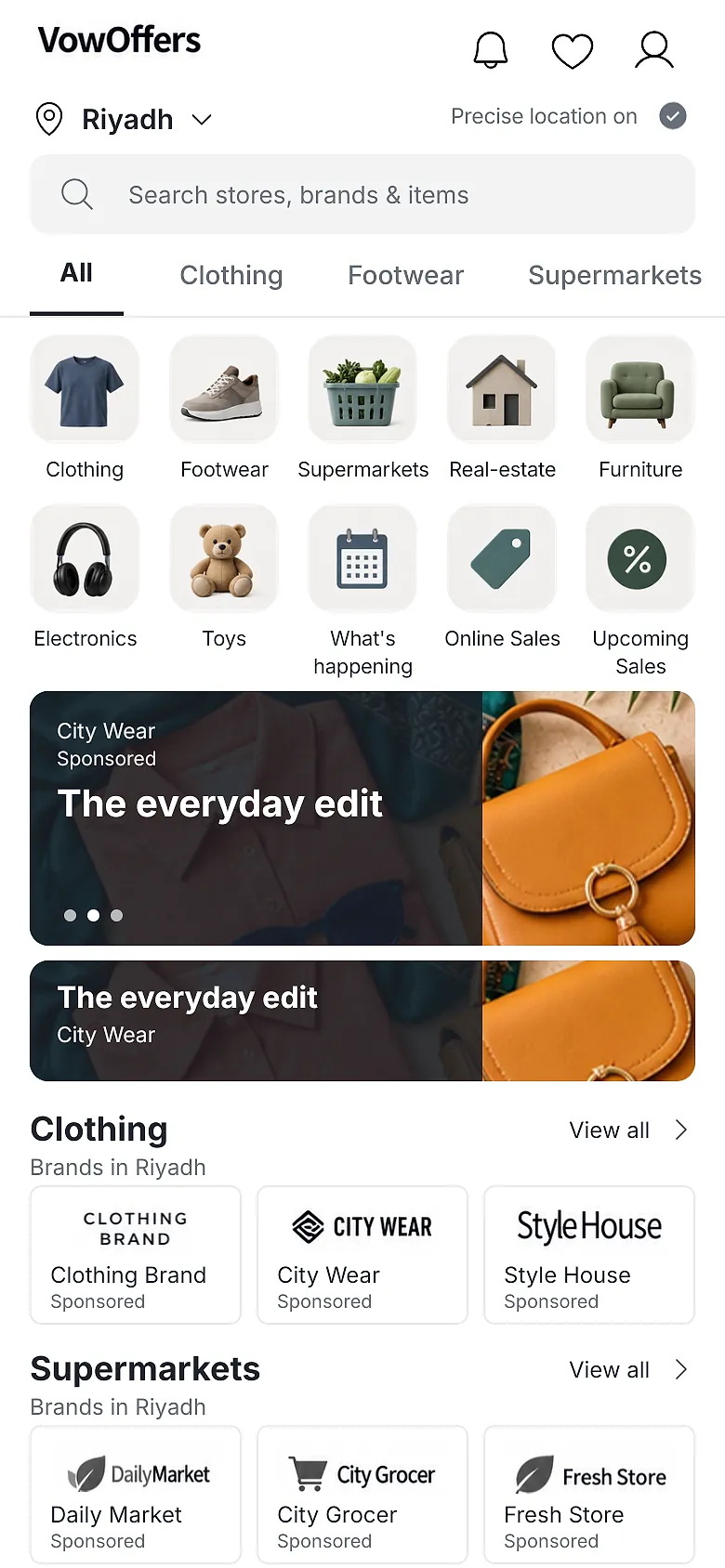
See how booking worksApp screens show illustrative sample content. Store and brand names in them are examples.
How booking works
Scroll to follow one request, from the first click to the day it goes live.
1Choose
Pick your place
Choose a placement, a city and a date. For a category placement, also choose the category. For Sponsored Ranking, choose the rank.
2Queue
Join the queue
Your request joins one queue for that slot, in the order it arrives. Waiting is free.
3Review
Reviewed in arrival order
The VowOffers team reviews the first request in line. Offering more money does not change the order.
4Accept
Pay on acceptance
When your request is accepted, the booking locks and the charge applies. A declined request is never charged, and the next one moves up.
5Prepare
Prepare your offer
Requests for a date close 2 weeks before it. You can update your offer images and text until 1 week before.
6Live
Go live
On the run date, your offer shows in the booked place and city, labelled as sponsored.
First come, first served. Nobody outbids you.
Every slot has a fixed price and one queue. Here are the rules in plain words.
- A slot is specific
A placement, a city and a date. Where relevant, a category or a rank.
- Order is arrival time
Requests queue by the time they arrive. Paying more does not change your place.
- One review at a time
The first request in line is reviewed. Everyone after it waits in order.
- Waiting is free
Nothing is charged while you wait. A declined request is never charged.
- Declined means next
If the first request is declined, the next one in line moves up at once.
- Pay on acceptance
Prepaid wallets are charged when your request is accepted. Postpaid follows your agreed terms.
- Sponsored is labelled
Shoppers see that a place is sponsored. Empty places are hidden, never filled with filler ads.
- Locks protect the schedule
Accepted bookings cannot be edited. If you ask to remove one early, the charge is not refunded.
Try the queue
Flash Sale · Riyadh · one dayIllustration of the queue rules for a single-brand slot. Brand names are examples.- 09:02Brand AIn reviewNo charge
- 09:15Brand BWaiting #1No charge
- 09:41Brand CWaiting #2No charge
Before your run date
- Booking locks14 days before
Requests for the date close 2 weeks before it.
- Content locks7 days before
Update your offer images and text until 1 week before.
- Run date
Your offer shows in the booked city.
Default timings. The platform can adjust them for a placement or a city.
Every placement, shown where it appears
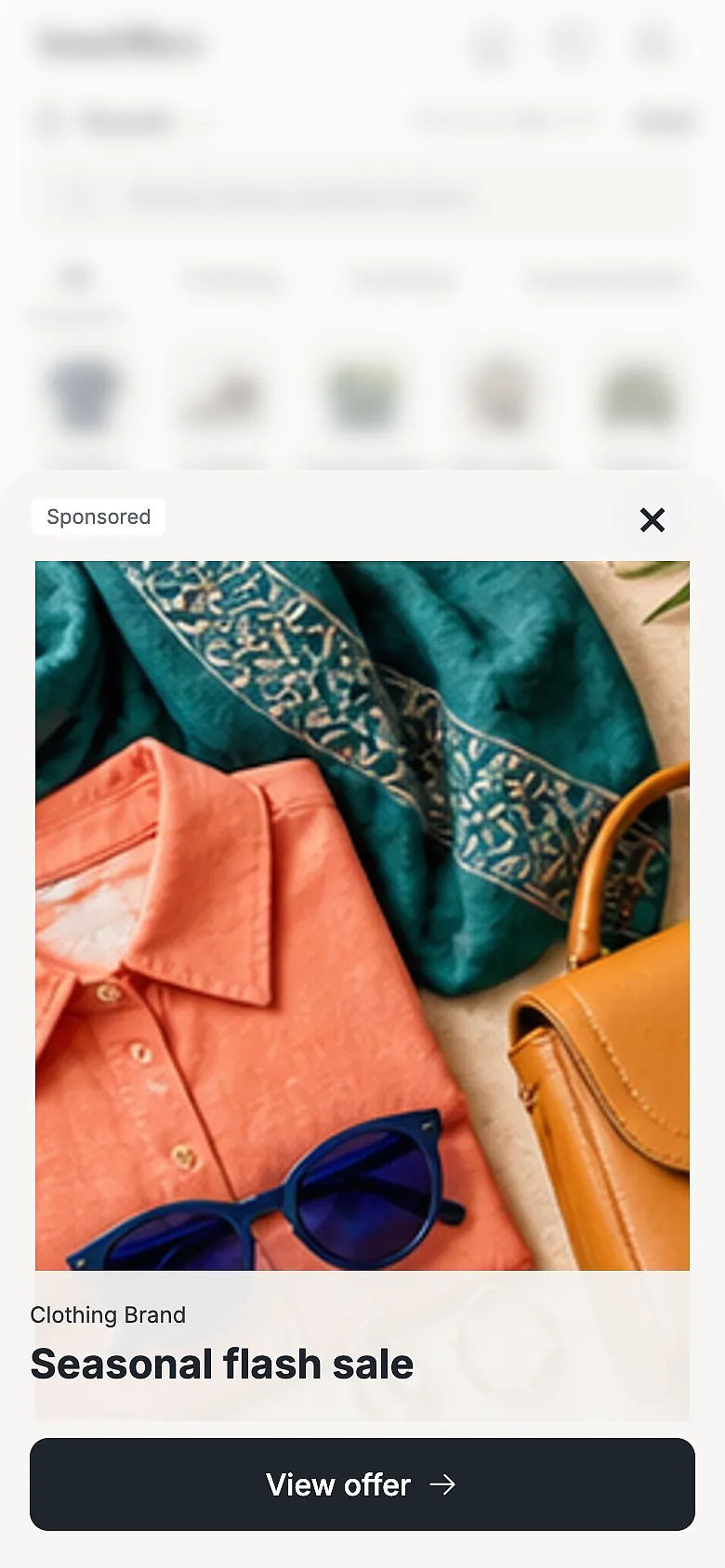
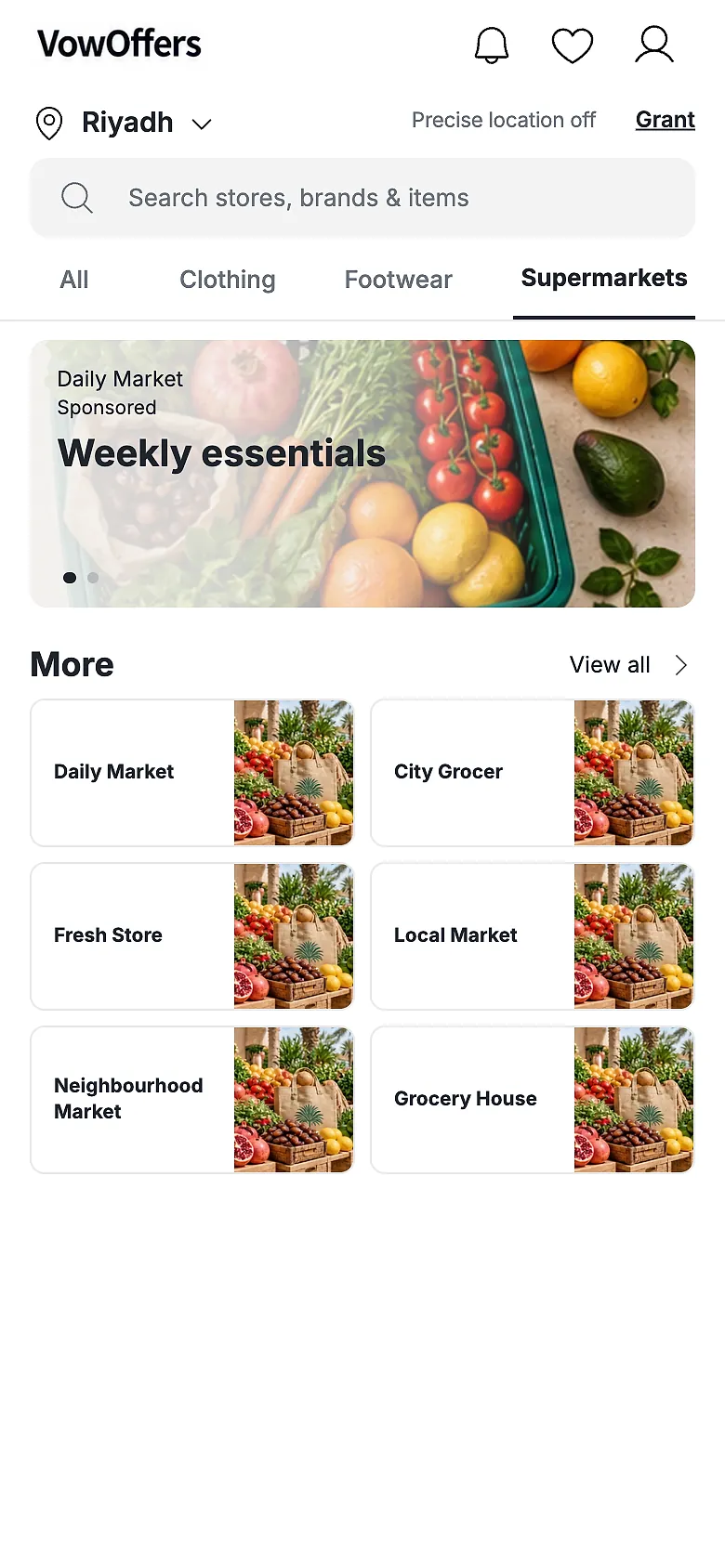
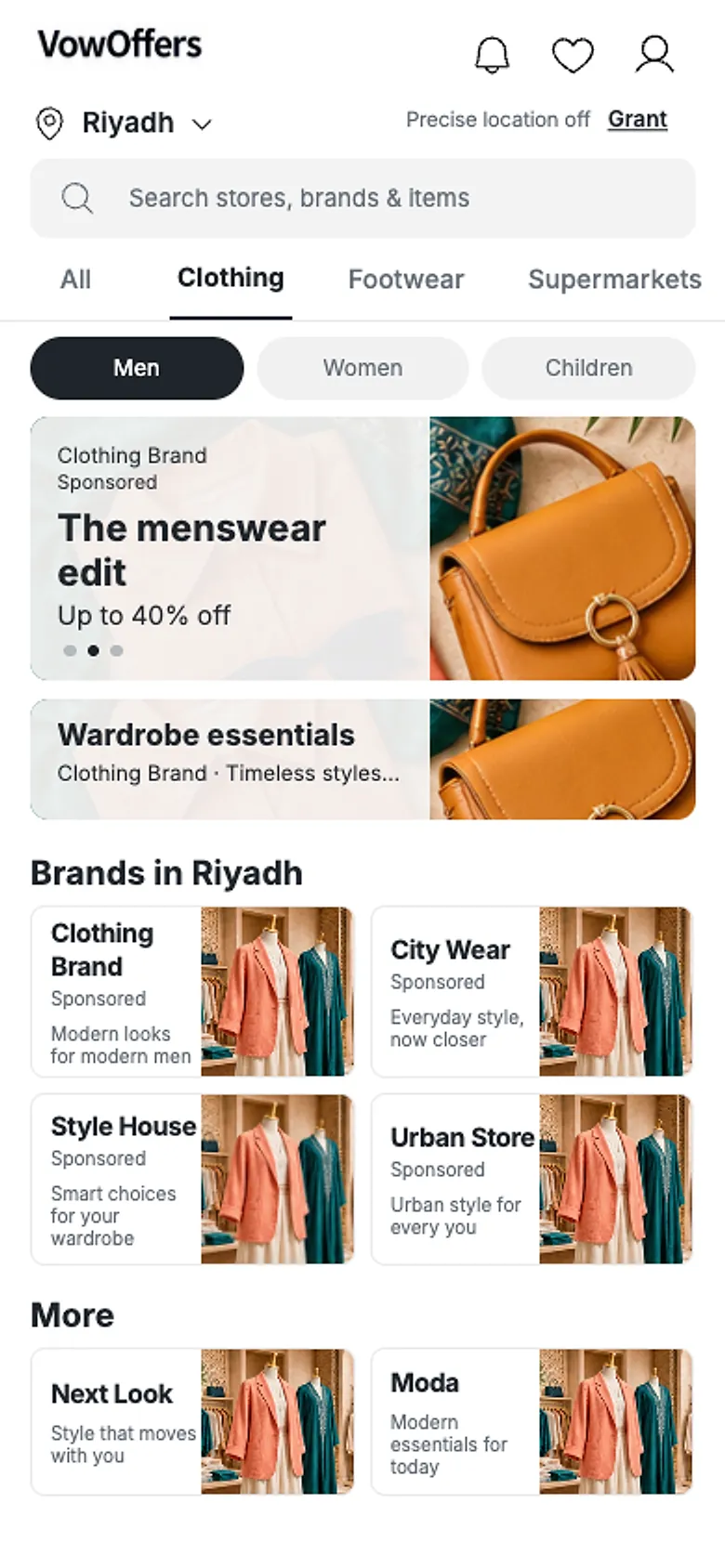
Pick a placement to see its place on a real app screen. Each one is booked per day, for one city, in the same fair queue.
Showing Flash Sale
Flash Sale
- Where
- A full-width panel that rises over the home screen and fills 70% of its height.
- Capacity
- One brand at a time
- Behaviour
- Appears 3 seconds after it is triggered. Customers close it, or tap to open the offer.
- Scope
- One city, one date.
- Billing
- Fixed price per day. One request covers up to 7 days. No bidding.
- When not booked
- Hidden. Customers never see filler ads.
Prices are set weekly by the platform for each placement and each rank.
Login Offers on the sign-in carousel are managed by VowOffers and cannot be booked.
The highlight shows the booked area on a real app screen.
From sign-up to your first booking
Onboarding follows these steps. After approval, you manage stores, inventory and placement requests in the VowOffers portal.
- Choose your vendor type
A multi-chain brand with brand and store admins, or a standalone store.
- Verify your business
Commercial Registration number, VAT document, contact verification and your payment model.
- Prepaid or postpaid
Prepaid: top up a wallet. Postpaid: a deposit and terms agreed with our sales team.
- Learn the placements
An interactive guide shows each placement type and where it appears.
- Get approved
The VowOffers team reviews your account before you can book.
- Add stores and inventory
Store names, locations and item keywords in Arabic and English. Search uses them to find your stores.
- Request placements
Pick city, placement, dates and rank. Join the queue, then prepare your offer until the content lock.
Wallets and add-ons
Two ways to pay, and two optional modules that VowOffers can turn on for your account.
Payment models
Prepaid wallet
Top up your wallet in the portal. The charge is taken when a request is accepted. A manual top-up can take up to 24 hours to show.
Postpaid terms
A deposit and terms agreed with our sales team. Accepted bookings are billed on those terms.
Add-on modules
AnalyticsAdd-on
Views, clicks, direction requests, wishlist saves and shares for your placements. Nearby engagement within 5 km counts only customers who share precise location.
AI GenerationAdd-on
Create image offers with AI, at the exact size of the placement you booked.
VowOffers enables add-on modules for each vendor.
Questions from businesses
If your question is not here, email or call our team.
Can a brand pay more to get a slot first?
No. Each slot has a fixed daily price and requests are handled in the order they arrive.
When am I charged?
Only when the platform accepts your request. Waiting and declined requests are free. Prepaid wallets are charged on acceptance; postpaid accounts are billed on their agreed terms.
How much does a placement cost?
The platform sets prices weekly for each placement and each rank. Contact our team for the current prices.
How many days can one request cover?
Up to 7 days. Each day has a fixed price.
Can I change an offer after booking?
The booking itself locks on acceptance. The offer content can change until the content lock, 1 week before the run date by default.
How are brands ordered in a category?
Brands with a live Sponsored Ranking come first, in rank order from 1 to 20. Other brands appear under More.
Is sponsored content labelled?
Yes. Places that brands book are marked as sponsored in the app.
What if nobody books a placement?
It is hidden. Shoppers never see filler ads.
What do I need to sign up?
Your Commercial Registration number, your VAT document, verified contact details and a payment model: prepaid or postpaid.
How do I get Analytics or AI Generation?
They are add-on modules. Ask our team, and VowOffers enables them for your account.
Talk to our team
Tell us about your brand, the cities you sell in and the placements you want. Write or call in Arabic or English.